Parking Enforcement Officer Tools: How Modern Mobile Enforcement Works

The equipment an enforcement officer carries into the field shapes every decision they make, every citation they issue, and every piece of evidence they capture. It also shapes how quickly their activity becomes visible to the administrators managing the operation from the back office, and how defensible that activity is when a parker decides to dispute.
Officer tools have changed significantly over the past decade — from paper ticket books and handheld devices that synced at end of shift, to iOS or Android-based systems that operate in real time against live permit and payment data, to vehicle-mounted LPR cameras that validate every plate the patrol vehicle passes. The fundamental workflow is the same as it always was. The speed, accuracy, and evidence quality are categorically different.
This post covers what modern parking enforcement officers actually use, how each tool connects to the broader enforcement system, and why the integration matters as much as the hardware.
Mobile Enforcement App: the officer’s primary interface
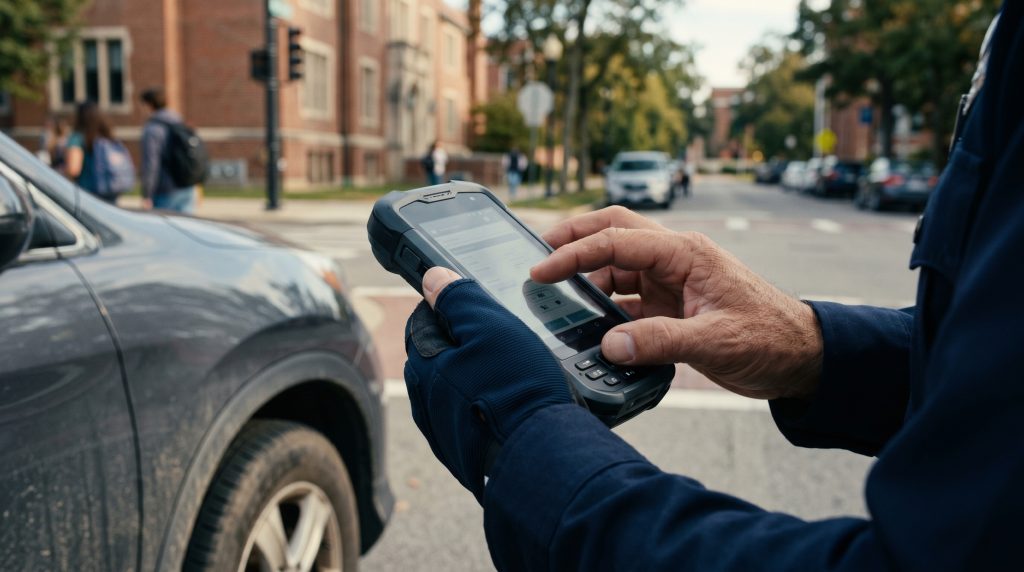
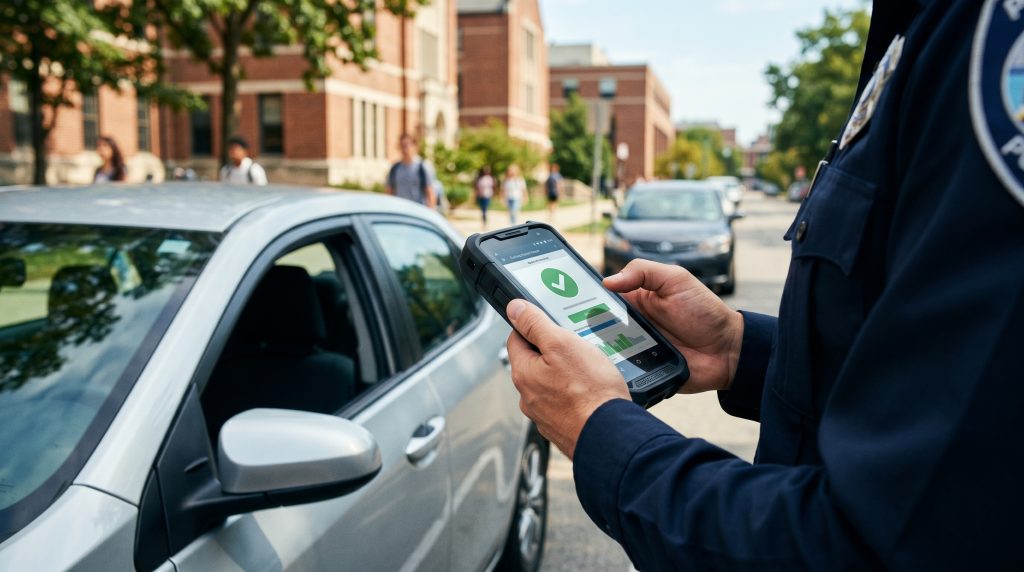
The handheld device is the officer’s command centre in the field. In OPSCOM’s mobile enforcement environment, officers use Android or iOS based handhelds running the remote enforcement application — a purpose-built field interface that connects in real time to the same ViolationAdmin database used by back-office administrators.
From the handheld, the officer can:
- Manually enter a plate or scan it via the device’s built-in camera for instant permit validation
- View the complete permit status of a vehicle — permit type, zone, expiry, associated account — in real time against live data
- Check the digital chalking record for time-limited zones to see when the vehicle was first observed and calculate current dwell time
- View the vehicle’s violation history, including any scofflaw flags or escalation holds
- Issue a citation with violation type, zone, officer notes, and photographic evidence attached
- Connect to a Bluetooth printer to produce a physical notice on the spot
- Access watchlist alerts for flagged vehicles — security concerns, BOLO plates, or plates flagged by IncidentAdmin
Because the handheld operates against live data, there’s no morning export to worry about and no stale permit list. A permit purchased ten minutes ago is visible. An expired permit is flagged. A financial hold applied yesterday is surfaced. The officer always sees the current state of the operation.
Vehicle-mounted LPR: patrol-speed validation
A handheld device validates one vehicle at a time, at walking pace. Vehicle-mounted LPR cameras validate every plate within the camera’s field of view at the speed the patrol vehicle is moving.
In OPSCOM’s PL8RDR LPR system, one or more cameras mounted to the patrol vehicle continuously capture plate images as the vehicle moves through the patrol area. Each plate is read, matched against the live permit database, and either cleared or flagged in real time. When a violation is identified, the officer receives an alert and can pull over to issue a citation — with the plate read, vehicle image, GPS coordinates, and timestamp already captured by the LPR system and pre-populated in the citation workflow.
The practical impact on patrol efficiency is substantial. An officer patrolling on foot can validate perhaps 50-100 vehicles per hour in a dense lot. A vehicle-mounted LPR patrol covers hundreds of vehicles per hour with greater accuracy and complete photographic documentation of every read. For large campuses, multi-lot municipal operations, or any environment where thorough coverage with limited staff is a requirement, LPR fundamentally changes what’s achievable with a given enforcement budget.
Victor Valley College deployed OPSCOM’s handheld LPR system specifically to enable their campus police to maintain thorough permit validation across the entire campus as part of their daily patrol — not as a dedicated enforcement effort but as an integrated part of their normal security operations. The LPR validation runs continuously while patrol is happening, making enforcement coverage a byproduct of security coverage rather than a separate operational commitment.
See the full picture of how LPR works in modern parking enforcement in the Knowledge Center.
Digital tire chalking: time-based enforcement without the chalk
Time-based enforcement — two-hour limits, loading zone windows, visitor parking restrictions — requires tracking when a vehicle arrived, not just whether it’s present. Physical chalk marks were the traditional method. Courts in several US jurisdictions have found them problematic under Fourth Amendment search and seizure doctrine, and they’re operationally awkward in wet weather regardless of the legal context.
Digital tire chalking replaces the physical mark with a GPS-stamped, timestamped first-observation record. When an officer first encounters a vehicle in a time-limited zone, the system records the plate, location, zone, and exact time automatically. When the same plate is observed again in the same zone — by the same officer or a different one on a subsequent patrol — the system calculates the elapsed dwell time and flags a violation if the limit has been exceeded.
This matters for multi-officer and multi-shift operations. With physical chalk, a vehicle chalked by Officer A at 9am and re-observed by Officer B at 11:30am requires Officer B to know what the chalk mark means, that it was applied at 9am, and that the limit has therefore been exceeded. With digital chalking, the system tells Officer B exactly when the vehicle was first observed and whether the limit has been exceeded — without any inter-officer communication required.
For the operational and legal detail on how digital chalking works, see the Digital Tire Chalking Knowledge Center. For how it integrates with LPR for vehicle-mounted dwell tracking, see Digital Tire Chalking and LPR: How They Work Together.
Bluetooth printing: physical notices in the field
Paperless enforcement environments — where citations are delivered electronically and physical notices aren’t produced — are increasingly common. But many operations still need to print a physical notice and place it on the vehicle, either because their jurisdiction requires it, their parker population expects it, or their enforcement model depends on the notice being present when the parker returns to the vehicle.
In OPSCOM, officers connect to compact Bluetooth-enabled receipt printers worn on the belt or carried in the vehicle. When a citation is confirmed in the ViolationAdmin mobile app, the officer prints the notice with a single tap — the citation details, violation code, payment instructions, and QR code linking to the online payment portal are printed immediately. The physical notice is produced on the spot, not at a printer back at the office.
The QR code on the notice is a detail worth highlighting. A parker who picks up their notice and scans the code goes directly to their citation record in the online payment portal. The friction between receiving a citation and being able to act on it is essentially zero — and lower friction correlates directly with higher collection rates.
Watchlist alerts and security integration
Parking enforcement officers patrol the same spaces as the broader security operation. In many organizations, those two functions operate with separate tools and separate situational awareness — the parking officer doesn’t see the security watchlist, and the security team doesn’t have easy visibility into parking activity.
In OPSCOM, the connection between ViolationAdmin and IncidentAdmin means enforcement officers see security alerts on their handhelds during routine permit validation. A plate flagged for a BOLO, a vehicle associated with a campus safety incident, or a watchlist entry added by the security team surfaces automatically when that plate is scanned — without the officer needing to access a separate system or be manually notified by radio.
For university campuses where parking and safety operations operate under the same department, this integration changes what a parking patrol can accomplish. It’s no longer just checking permits — it’s contributing to campus situational awareness on every pass through every lot. Carleton University’s Department of University Safety built their entire parking and security operation around this integrated model. Read the Carleton University case study.
What connects the tools: the shared database
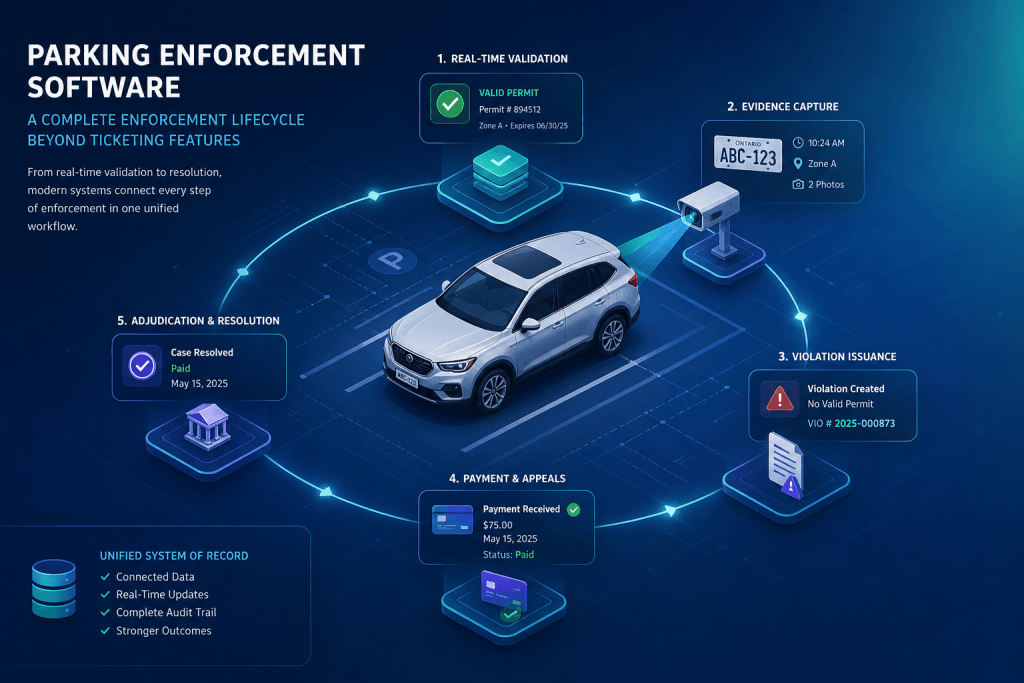
Every tool described in this post — the handheld, the LPR camera, the digital chalking system, the Bluetooth printer — operates against the same live database. That’s the architectural fact that makes the difference between a collection of enforcement gadgets and a connected enforcement operation.
When all field activity writes to a shared database in real time, the back-office administrator sees what officers are doing as they do it. The parker’s payment portal reflects current violations the moment they’re issued. The LPR system’s chalking records are available to handheld officers on the same patrol. The watchlist managed by security is visible to enforcement officers in the field.
Texas Tech University Health Sciences Center deployed OPSCOM’s handheld enforcement across their campus specifically for this reason — the ability to run permit management and violation enforcement within a single connected system, with field activity immediately visible in the same back-office environment their administrators use for permit management and reporting. See how healthcare parking operations run on OPSCOM.
The tools are important. The connection between them is what makes the operation work.
Explore the enforcement system in depth
- How automated parking enforcement works as a connected system
- The parking enforcement workflow, step by step
- The parking citation lifecycle: from issuance to resolution
- How compliance automation drives consistent enforcement decisions
- License plate recognition in modern parking enforcement
- Digital tire chalking: how time-based enforcement works
- ViolationAdmin: OPSCOM’s parking enforcement platform
- Remote enforcement: field tools for mobile operations
- Parking Enforcement Systems Knowledge Center